The Alarming Rise of “Fix‑Type” Cyber Attacks: How ClickFix, FileFix, ConsentFix Are Taking Over the Internet
Fix‑type attacks are a family of social engineering techniques that coerce users to copy, paste, and execute attacker‑supplied content under the guise of fixing an error or proving they are human. The hallmark is a browser interaction that silently or explicitly places code or key material on the clipboard, then instructs the user to execute it in a trusted local context. Recent variants include ClickFix, FileFix, and ConsentFix, and they have been observed in both crimeware and state‑aligned operations.
Why fix‑type attacks work
These techniques exploit two consistent user behaviors, obedience to step‑by‑step troubleshooting prompts and trust in familiar interfaces like CAPTCHAs, File Explorer, and Microsoft sign‑in flows. Because the user initiates execution, endpoint and email defenses see fewer traditional indicators such as suspicious attachments or obvious credential posts. Delivery has shifted toward SEO‑poisoned results and compromised high‑reputation sites, which bypasses email filtering and reduces suspicion.
ClickFix
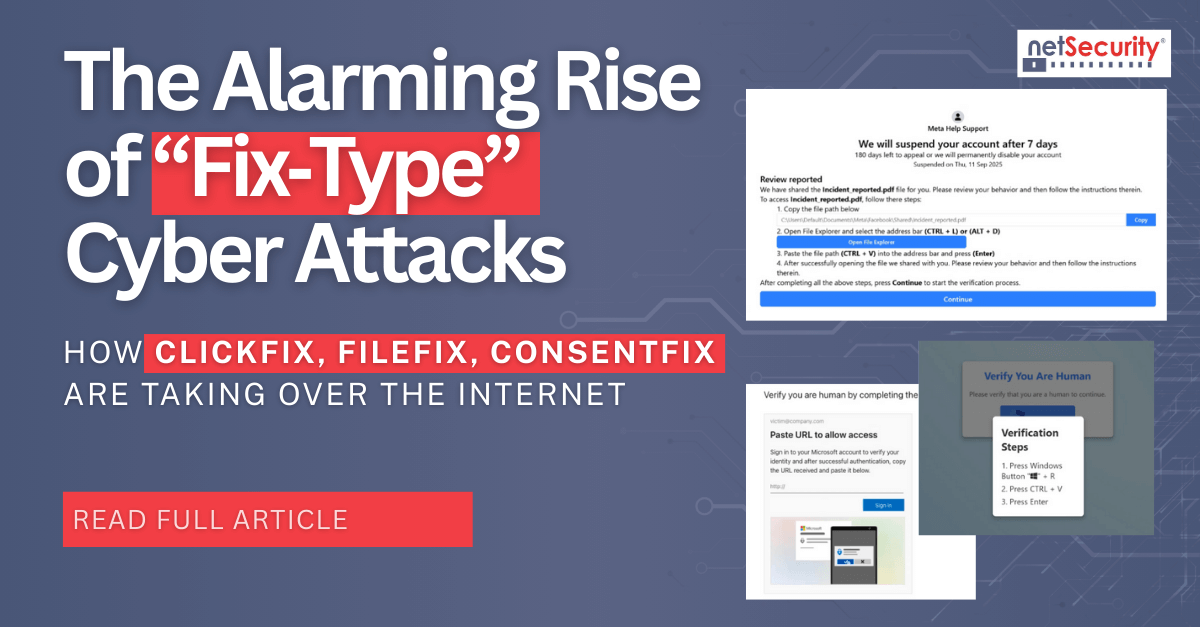
ClickFix is the best known fix‑type pattern. A victim lands on a phish or compromised page that displays a fake CAPTCHA or error widget. Clicking the widget either auto‑copies a PowerShell or shell command to the clipboard or shows it in clear text, followed by instructions to paste into Windows Run, Terminal, or PowerShell. Execution typically fetches a second‑stage payload such as RATs and infostealers, disables protections, and establishes persistence. Campaigns have targeted Windows and macOS and have been linked to multiple threat groups and real incidents.
Delivery vectors and execution flow
Attackers commonly use search result poisoning, malvertising, and compromised CMS plugins to inject the lure. The page triggers a full‑screen fake BSOD or a convincing CAPTCHA, then instructs keyboard shortcuts that culminate in command execution. Analysts have documented chains that download MSBuild projects, disable Defender, and deploy RATs like DCRat or NetSupport. Because users run the commands themselves, many controls trigger late in the kill chain, if at all.
Mitigations for ClickFix
Harden user endpoints to restrict Run dialog and script interpreter use where not required, and monitor clipboard access from untrusted domains. Browser‑side controls that block malicious copy events reduce risk at the source. On endpoints, alert on PowerShell with suspicious flags, encoded payloads, or child processes launched from explorer.exe after browser interaction. User training should explicitly cover copy‑paste attacks, not only credential phishing.
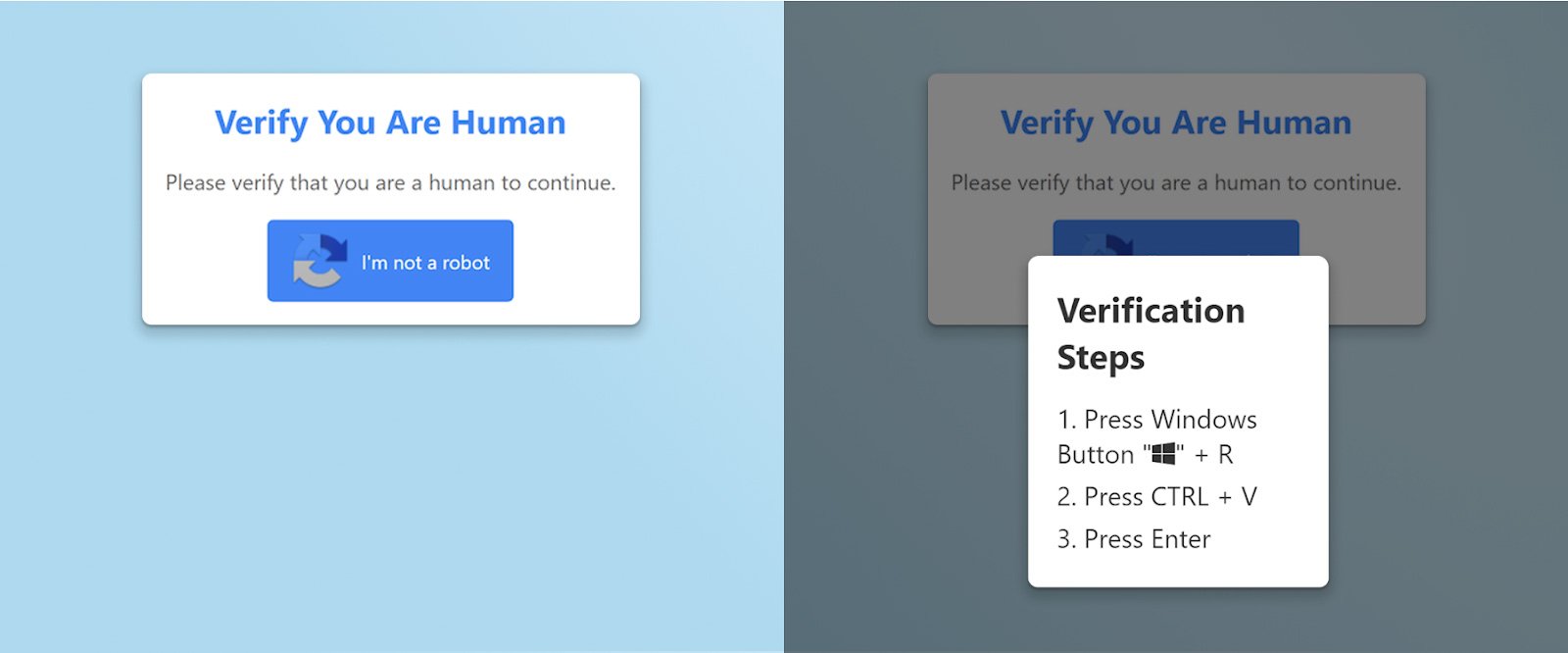
Figure 1. Example ClickFix CAPTCHA lure and instructions. Image Source: BleepingComputer
FileFix
FileFix generalizes ClickFix to Windows File Explorer. Instead of telling users to paste a command into the Run dialog, the phish opens a legitimate File Explorer window and primes the clipboard with a disguised PowerShell command. The page tells the user to press Ctrl+L and paste a supposed file path into the Explorer address bar. Explorer treats the pasted content as a command, executes PowerShell, and the payload chain proceeds, often with careful obfuscation and steganography.
In the wild and evolving tradecraft
After the initial proof of concept, researchers observed FileFix tested by known actors and then adopted in multilingual campaigns. Documented operations used robust obfuscation, cache or image‑based smuggling, and staged loaders that ultimately drop commodity stealers like StealC. The rapid adoption indicates adversaries view FileFix as a lower‑friction on‑ramp than classic ClickFix, because users are comfortable pasting paths into Explorer.
Defenses against FileFix
Instrument for Explorer address bar executions that invoke PowerShell, cmd, or scripting hosts. Treat browser‑initiated clipboard writes followed by Explorer activity as a high‑risk sequence. Content security policies, ad‑blocking, and search‑result filtering reduce exposure to watering holes. On endpoints, AMSI and constrained PowerShell policies help contain second stages, while detections should hunt for Explorer‑spawned script interpreters and suspicious child processes.

Figure 2. Example FileFix flow with clipboard‑primed command and Explorer address bar execution. Image Source: HackerNews
ConsentFix
ConsentFix blends ClickFix‑style copy‑paste prompts with OAuth token theft. The victim reaches a compromised site that presents a fake Cloudflare Turnstile requesting a business email, then a sign‑in button that opens a real Microsoft page for Azure CLI authentication. If the user is already signed in, Microsoft redirects to a localhost URL that contains an OAuth authorization code. The page instructs the user to copy the entire URL and paste it back into the phishing page. The attacker exchanges that code for an access token and gains effective control of the Microsoft account through Azure CLI without passwords or MFA.
Why this variant is harder to stop
ConsentFix executes entirely inside the browser and targets a first‑party Microsoft app that tenants generally cannot block with third‑party consent policies. Legacy scopes, conditional access gaps, IP‑based filtering, and selective JavaScript loading frustrate URL and content analysis. Because no password is phished and no new app consent prompt appears, many identity‑layer detections do not trigger, and phishing‑resistant authenticators do not help.
Defensive priorities for ConsentFix
Monitor for unusual interactive Azure CLI logins, especially for users who are not administrators or developers. Enable extended logging for OAuth flows, including legacy graph scopes, and watch for token use from unexpected geographies. Browser‑side protections that detect suspicious copy instructions and prevent pasting URLs containing authorization codes into untrusted origins can break the chain. Expand user training to include warnings about copy‑pasting localhost URLs after sign‑in.
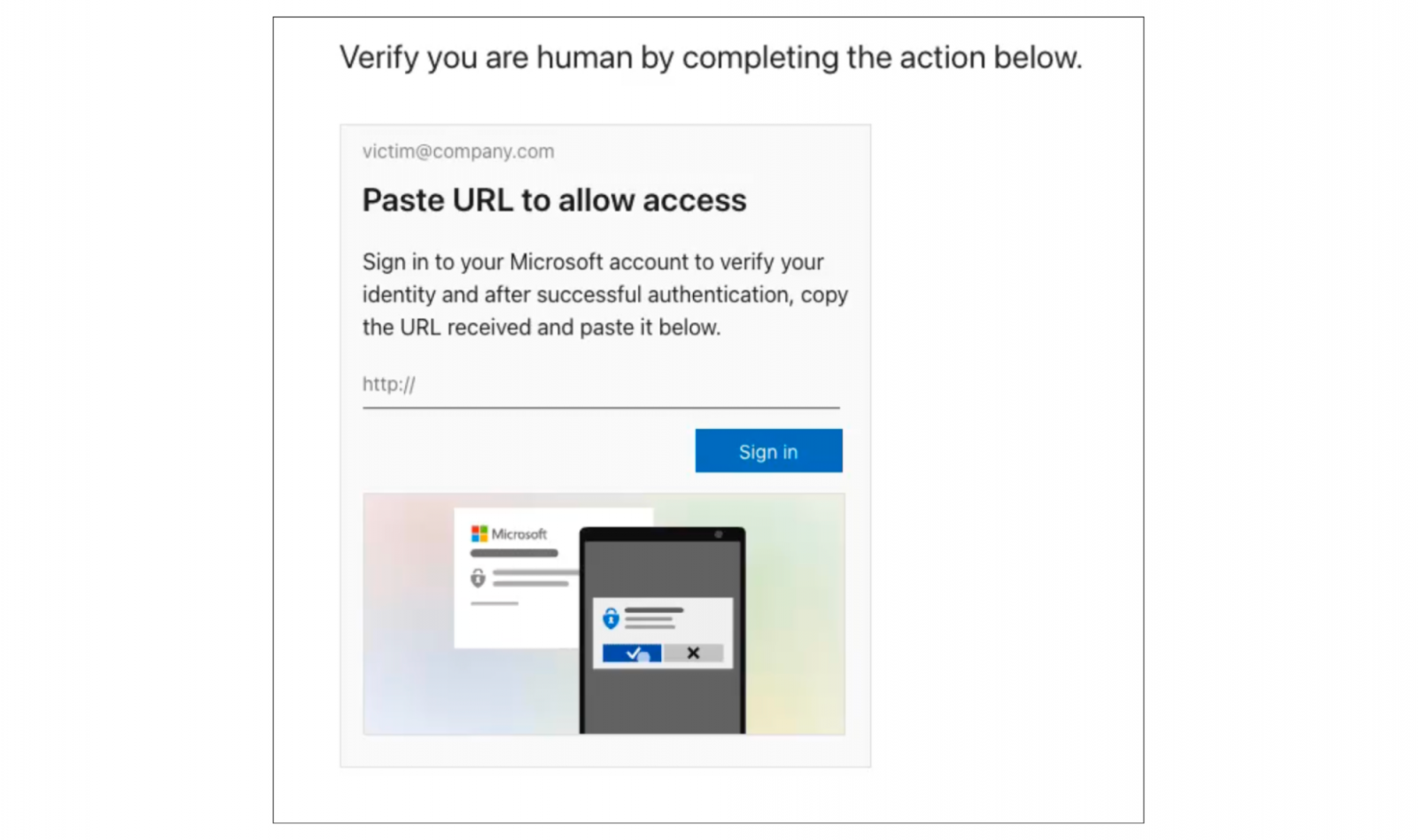
Figure 3. Example ConsentFix page sequence leading to a localhost URL with an authorization code. Image Source: BleepingComputer
Compare ClickFix, FileFix and ConsentFix
ClickFix abuses direct command execution via Run or terminal, FileFix shifts the same outcome into File Explorer, and ConsentFix skips local commands entirely by harvesting OAuth authorization codes for first‑party apps. All three capitalize on browser‑originated instructions and trusted UX patterns. In practice, a layered strategy is required, browser telemetry and controls for copy events, endpoint hardening and detections for script execution chains, and identity logging that surfaces anomalous OAuth activity.
For teams that already tune detections for credential phishing and malicious attachments, the priority is to add explicit coverage for copy‑paste flows, Explorer address bar executions, and OAuth code misuse, then educate users that real services will never require them to paste commands or localhost URLs to prove they are human.
How to Prevent Fix-Type Attacks?
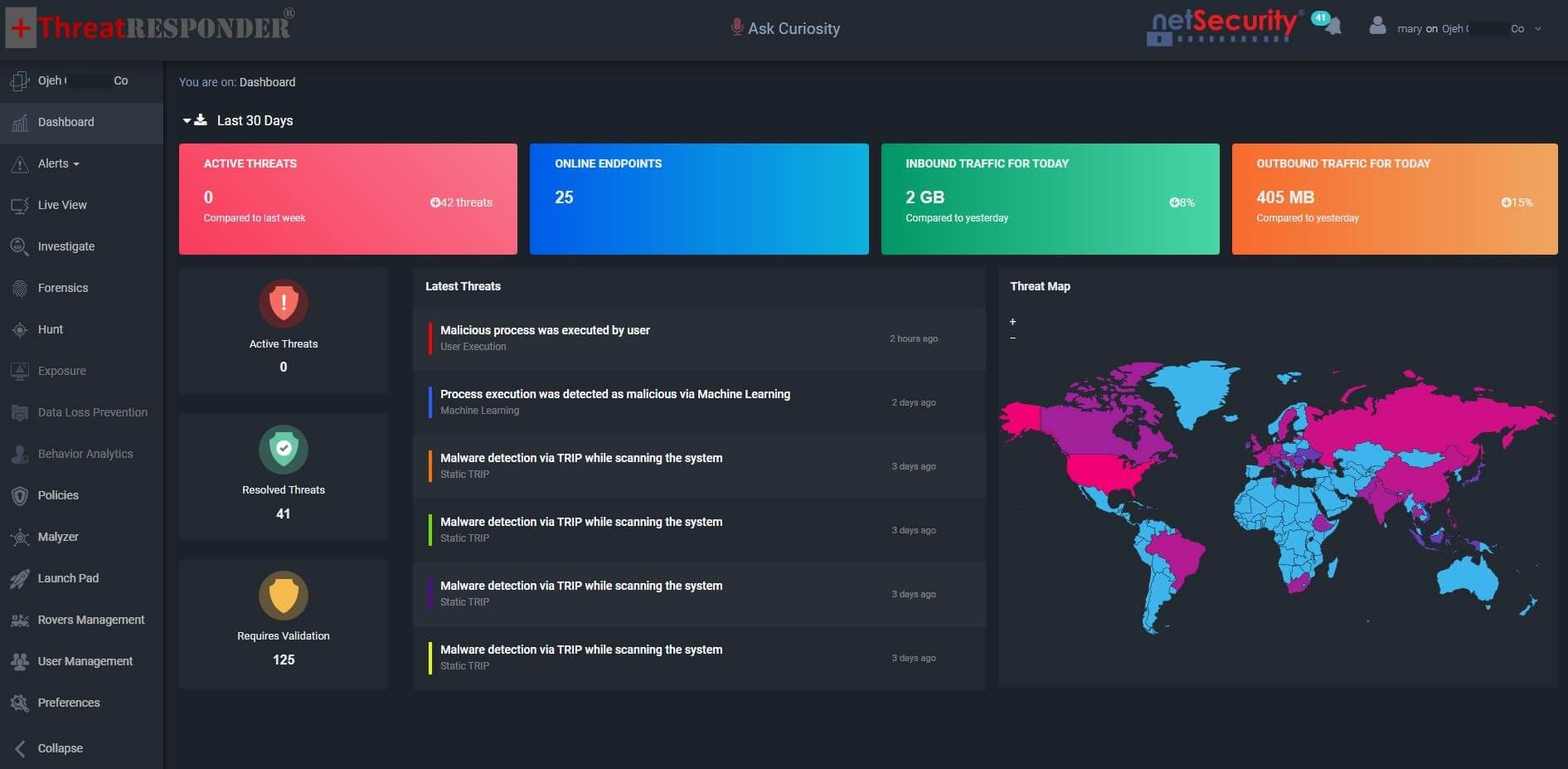
With ThreatResponder, organizations gain unified visibility, proactive detection, and automated response to stop advanced ransomware attacks before they cause damage.
Disclaimer
The page’s content shall be deemed proprietary and privileged information of NETSECURITY CORPORATION. It shall be noted that NETSECURITY CORPORATION copyrights the contents of this page. Any violation/misuse/unauthorized use of this content “as is” or “modified” shall be considered illegal and subjected to articles and provisions that have been stipulated in the General Data Protection Regulation (GDPR) and Personal Data Protection Law (PDPL).