RansomHouse Ransomware’s New “Mario” Encryptor Exposed: Multi‑Layer ESXi Lockdowns, MrAgent Automation, and Actionable IOCs
The RansomHouse ransomware-as-a-service (RaaS) has recently upgraded its encryptor, switching from a relatively simple single-phase linear technique to a more complex, multi-layered method. In this article, we shall deep dive into what is RansomHouse ransomware, what is the new Mario encryptor, Tactics, Techniques, and Procedures (TTPs) and Indicators of Compromise (IOCs) of RansomHouse ransomware.
What is RansomHouse Ransomware?
RansomHouse is a ransomware‑as‑a‑service operation that began as a data‑extortion outfit in late 2021 and later adopted full encryption in attacks. The group’s tooling targets virtualized infrastructure and backups to increase operational impact during extortion. Its current tooling centers on a deployment utility called “MrAgent”, and an encryptor known as “Mario”.
RansomHouse Operational model and scope
Affiliates conduct intrusion, lateral movement, data staging and exfiltration. Operators provide the leak site, negotiation portal and the ransomware tooling. Victims are listed on a Tor data leak site, and negotiations occur via per‑victim onion chat rooms. The operation includes automation for VMware ESXi environments and encryptors that rename artifacts with a mario‑related extension and drop a consistent ransom note.
RansomHouse Ransomware Attack chain overview
- Develop – operators maintain the RaaS, leak site and tools.
- Infiltrate – affiliates gain initial access, perform reconnaissance, escalate privileges and prepare staging.
- Exfiltrate and deploy – sensitive data is compressed and transferred, then encryption is executed against virtual machines and backups.
- Extort – victims receive instructions via a note and portal, while proof of compromise appears on the leak site.
MrAgent: Technical behavior on ESXi
MrAgent is a hypervisor‑resident management binary designed to automate and track ransomware deployment across many ESXi hosts. On startup it:
- Creates a host identifier from hostname and MAC address.
- Retrieves the host IPv4 address.
- Disables the ESXi firewall.
- Establishes persistent command‑and‑control connectivity and awaits JSON‑encoded instructions.
Observed instruction set includes:
- info – gather ESXi host details.
- config – overwrite local deployment configuration, including start delay, encrypter command and arguments, and hypervisor welcome message.
- exec – start deployment. Common actions include changing the root password, stopping vCenter remote management, dropping non‑root SSH sessions, iteratively shutting down VMs and orchestrating encryption.
- run – execute arbitrary commands via a temporary script file.
- remove – delete files or paths.
- abort / abort_f – cancel pending start or kill working threads.
- quit – terminate and remove the agent.
- welcome – set the ESXi console welcome message.
Internally, MrAgent tracks runtime state in mutex‑protected JSON structures and regularly sends heartbeats to the C2. The utility exists in ESXi and Windows builds with near‑identical flow, with platform‑specific differences implemented via shell or PowerShell.
Mario encryptor: Upgraded multi‑layer data processing
Recent Mario samples show a transition from single‑pass linear file transformation to a two‑stage process that uses separate keys and non‑linear chunk processing.
Keying and transformation
- Generates a 32‑byte primary key and an 8‑byte secondary key from random values.
- Performs separate encryption stages per key and writes a header that stores metadata for recovery workflows controlled by the actors.
Chunking strategy
- Implements dynamic, intermittent encryption with an 8 GB size threshold.
- Uses variable segment lengths and calculated offsets to process only specific blocks within large files.
- Displays progress per processed chunk and prints a detailed per‑file summary on completion.
Memory layout and buffer organization
- Employs multiple dedicated buffers for primary encryption context, intermediate transformation, secondary key storage and header construction.
- Uses a smaller, more efficient stack frame than older variants.
Targeted file types and extension behavior
Mario is tuned to ESXi and backup ecosystems. It traverses specified paths and targets virtualization and backup formats including OVA, OVF, VMDK, VMEM, VMSD, VMSN, VSWP, VIB, VBK and VBM. Files already bearing mario‑related suffixes in their names are skipped to avoid double‑encryption. Encrypted artifacts are renamed by appending the [.]emario extension.
Ransom note and directories
The encryptor drops a plaintext ransom instruction file named “How To Restore Your Files[.]txt” in every impacted directory. The note directs victims to the negotiation portal and provides steps for contact.
Initial access, staging and execution patterns
Initial access observed across public reporting includes spear‑phishing and exploitation of vulnerable remote‑access or virtual infrastructure components. Post‑access, affiliates enumerate domains and hypervisors, disable defenses, stage exfiltration to attacker‑controlled infrastructure and then propagate encryption via MrAgent commands. In ESXi environments, execution typically aims to shut down running VMs before encrypting associated disks and snapshots to reduce lock conflicts.
Negotiation and infrastructure
RansomHouse maintains a per‑victim Tor negotiation room and a data leak site listing victims and evidence packs. Chats present countdown timers and structured payment instructions. The leak site and chat infrastructure support English and Chinese language interfaces. Data staging has been observed to cloud storage providers in split archives before or during negotiations.
Host‑level indicators and artifacts for SOC and IR teams
ESXi host commands and changes
- Firewall change:
esxcli network firewall set --enabled false - Service change:
/etc/init.d/vpxa stopon vCenter agents - SSH session disruption via shell process filters and
kill -9 - Console message change:
esxcli system welcomemesg set -m="<text>"
Files and paths
- Ransom note:
How To Restore Your Files.txtin encrypted directories - Temporary command file on ESXi:
./shmv - Encrypted artifacts: filenames ending with
.emario - Mario skip filters: filenames containing
.marion,.emario,.lmario,.nmario,.mmario,.wmario
Targeted extensions
ova, ovf, vmdk, vmem, vmsd, vmsn, vswp, vib, vbk, vbm
Network‑level behaviors
- Persistent beaconing from MrAgent to attacker C2 using JSON messages with passphrase and heartbeat semantics.
- Periodic empty status messages every few seconds during deployment.
- Exfiltration flows to attacker‑controlled infrastructure and selected cloud storage providers prior to encryption.
MITRE ATT&CK mapping for common steps
- Initial Access: Exploit Public‑Facing Application, Phishing.
- Discovery: File and Directory Discovery, Network Share Discovery.
- Defense Evasion: Indicator Removal on Host, Impair Defenses via service and firewall manipulation.
- Impact: Data Encrypted for Impact.
- Exfiltration: Exfiltration to cloud or attacker infrastructure prior to impact.
Detection and response guidance
Detection
- Monitor ESXi hosts for firewall state changes, welcome message changes and vCenter agent stoppage events.
- Alert on creation of
How To Restore Your Files.txtand on.emariorenames in datastore paths. - Use host telemetry to detect iterative VM shutdown attempts followed by large sequential writes on VMDK, VMEM and snapshot metadata files.
- Flag JSON heartbeat traffic from hypervisors to unfamiliar external endpoints and unusual long‑lived TCP sessions.
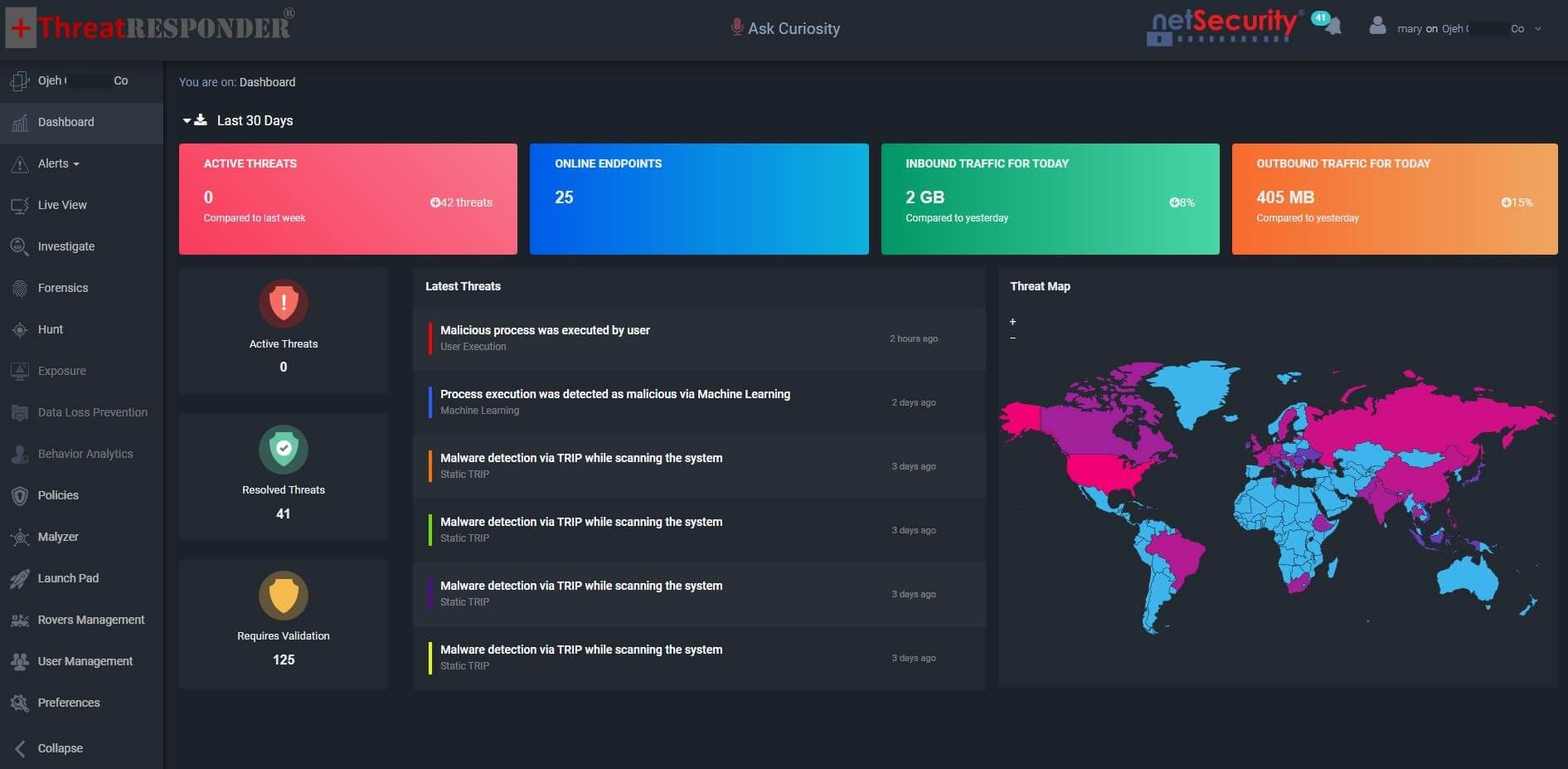
- Use advanced cutting-edge endpoint security platfrom like ThreatResponder to detect advanced threats in real-time.
Containment
- Isolate affected hypervisors at switch or firewall level on first sign of MrAgent actions or ransom note creation.
- Block egress to known C2 indicators and suspend hypervisor management interfaces from external exposure during triage.
- Leverage ThreatResponder’s Live View module to visualize and isolate the infected machines directly from the Management console and with the help of ThreatResponder policies, block the known C2 indicators.
Eradication and recovery
- Remove MrAgent binaries and associated persistence, restore service configurations and passwords, and validate hypervisor integrity.
- Recover VMs and backup sets from clean snapshots taken prior to indicator onset. Verify that backup repositories have not been encrypted, exfiltrated or tampered with.
- Leverage ThreatResponder’s Live View module to visualize and isolate the infected machines directly from the Management console.
Hardening
- Eliminate direct Internet exposure of ESXi management planes.
- Enforce MFA on administrative access and rotate root credentials after incidents.
- Segment backup networks and restrict hypervisor‑to‑backup trust relationships.
- Apply current patches to hypervisors and remote‑access gateways and audit for unauthorized PowerShell or shell execution on management hosts.
- Implement NetSecurity’s ThreatResponder to stay protected from advanced cyber threats.
With ThreatResponder, organizations gain unified visibility, proactive detection, and automated response to stop advanced ransomware attacks before they cause damage.
Disclaimer
The page’s content shall be deemed proprietary and privileged information of NETSECURITY CORPORATION. It shall be noted that NETSECURITY CORPORATION copyrights the contents of this page. Any violation/misuse/unauthorized use of this content “as is” or “modified” shall be considered illegal and subjected to articles and provisions that have been stipulated in the General Data Protection Regulation (GDPR) and Personal Data Protection Law (PDPL).